
Welcome New Members!
We're happy you've joined CareFirst Group Medicare Advantage. We look forward to providing you with coverage that goes well beyond Original Medicare. Ready? Let's get started!



Take these six quick steps to start using your benefits today:
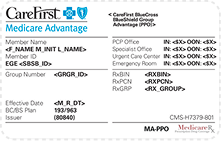
Check your ID card
Make sure the information on your card is correct. Spot an error? Call Member Services using the number on the back of the card.
Set up My Account
Create your online account to view plan details, update your contact info and manage your care in one place.
Book your Annual Wellness Visit (AWV)
Schedule a quick check in with your primary care physician (PCP) and ask which preventive screenings are right for you. Need help finding a PCP? Click the Find Care button.
Complete your Health Risk Assessment (HRA)
Your HRA helps us connect you with care that fits your needs. It only takes a few minutes.
Take the call
A care manager from Group Medicare Advantage may reach out to help you:
- Finish your HRA and understand your benefits
- Get connected with a nurse care manager
- Talk through health and well-being needs, from food and housing to finances
Want to talk sooner? Call the Member Services number on the back of your ID card.
Sign up for mail order
If your plan includes prescription drug coverage, ask your doctor for an extended supply of your regular medications and have them sent to CVS Caremark Mail Service Pharmacy. Home delivery is convenient and may help you save money on some medications.